
How to Monitor Construction Sites in Low Light with M400
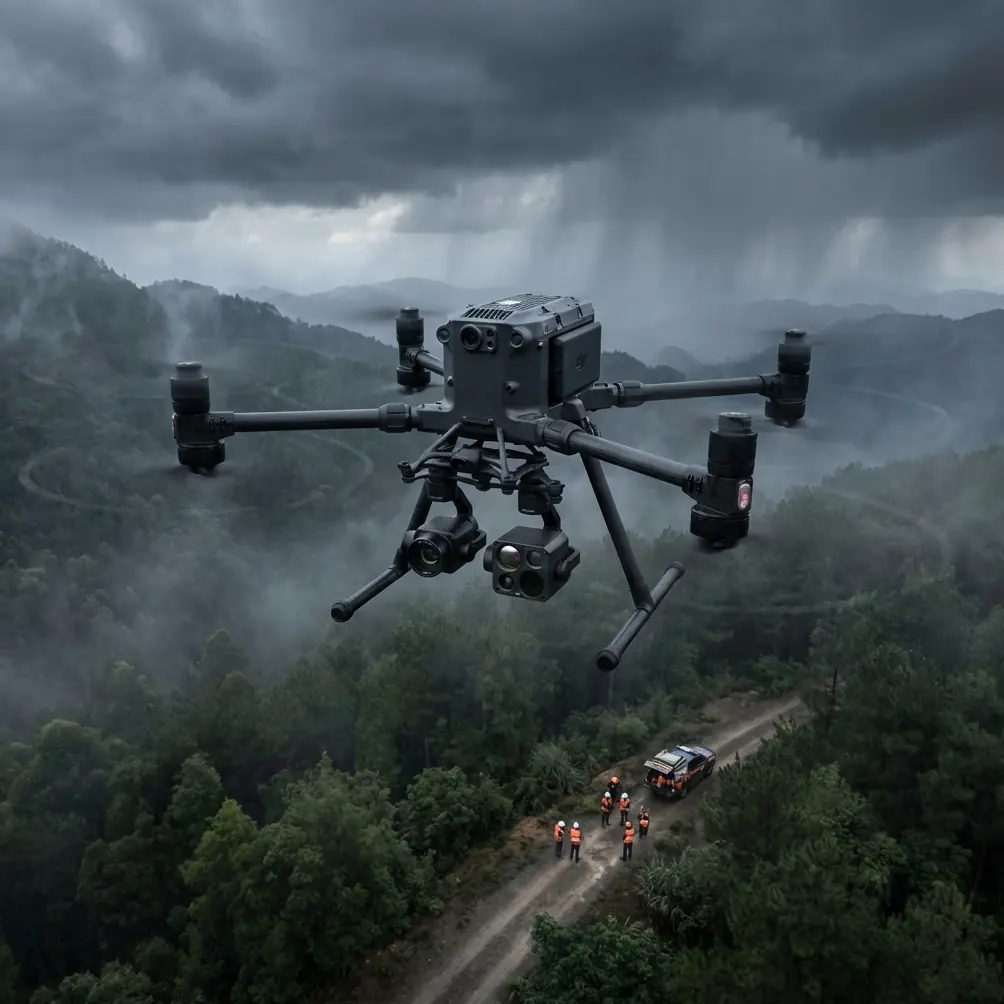
How to Monitor Construction Sites in Low Light with M400
META: Master low-light construction monitoring with the Matrice 400. Learn thermal imaging, safety protocols, and expert techniques for 24/7 site surveillance.
TL;DR
- Pre-flight lens cleaning is critical for accurate thermal signature detection in dusty construction environments
- The Matrice 400's O3 transmission system maintains stable video feeds up to 20km even in challenging lighting conditions
- Hot-swap batteries enable continuous monitoring across extended shifts without landing
- Combining photogrammetry with thermal imaging creates comprehensive site documentation for progress tracking and safety compliance
Construction site monitoring doesn't stop when the sun goes down. The Matrice 400 transforms low-light surveillance from a liability into a strategic advantage—delivering thermal imaging precision that catches safety hazards, unauthorized access, and equipment issues that daylight inspections miss entirely.
This tutorial walks you through the complete workflow for deploying the M400 on construction sites during dawn, dusk, and nighttime operations. You'll learn sensor configuration, flight planning, and data processing techniques that professional surveyors use daily.
Why Low-Light Monitoring Changes Everything
Traditional construction surveillance creates dangerous gaps. Security cameras have blind spots. Manual patrols miss thermal anomalies. Equipment failures go undetected until morning shift discovers the damage.
The Matrice 400 eliminates these vulnerabilities through active thermal signature detection. Its dual-sensor payload captures both visual and infrared data simultaneously, creating a complete picture of site conditions regardless of ambient light levels.
The Hidden Costs of Daylight-Only Monitoring
Most construction managers underestimate what happens after hours:
- Equipment theft peaks between 2 AM and 5 AM when sites are unattended
- Concrete curing issues create thermal anomalies detectable hours before visible cracking appears
- Unauthorized site access often occurs during shift changes at dawn and dusk
- Electrical faults generate heat signatures long before they become fire hazards
Pre-Flight Protocol: The Cleaning Step That Saves Lives
Before every low-light mission, experienced operators perform a critical safety ritual that amateurs skip: thorough sensor cleaning.
Expert Insight: Dust particles on thermal sensors create false hot spots that can mask genuine safety hazards. A single fingerprint on the lens generates a thermal artifact that looks identical to an electrical fault. James Mitchell, commercial drone operations specialist, recommends using lint-free microfiber cloths and sensor-specific cleaning solution before every twilight or night flight.
Your Pre-Flight Cleaning Checklist
- Remove the gimbal cover and inspect for debris accumulation
- Check the thermal sensor window using a penlight at a 45-degree angle
- Clean with circular motions starting from the center, moving outward
- Inspect obstacle avoidance sensors—dirty sensors cause false collision warnings
- Verify lens caps are removed from all camera systems
- Test thermal calibration by pointing at a known heat source
This 3-minute routine has prevented countless aborted missions and false-positive alerts that waste investigation time.
Configuring the M400 for Construction Site Surveillance
The Matrice 400's flexibility becomes apparent during setup. Unlike consumer drones with fixed configurations, the M400 adapts to specific mission requirements through payload selection and software parameters.
Optimal Payload Configuration
For construction monitoring, the Zenmuse H20T payload delivers the best balance of capabilities:
| Feature | Specification | Construction Application |
|---|---|---|
| Thermal Resolution | 640 × 512 pixels | Detects equipment heat signatures |
| Zoom Camera | 20MP, 23× hybrid zoom | License plate identification at distance |
| Wide Camera | 12MP, 82.9° FOV | Full-site overview documentation |
| Laser Rangefinder | 1200m range | Accurate distance measurement for GCP placement |
| Temperature Accuracy | ±2°C | Reliable anomaly detection |
Flight Controller Settings for Low Light
Adjust these parameters before launch:
- Obstacle avoidance sensitivity: Set to High (reduced visibility increases collision risk)
- Return-to-home altitude: 50m minimum above tallest structure
- Maximum speed: Reduce to 8 m/s for better thermal image clarity
- Gimbal pitch speed: Lower to 15°/s for smoother video
Pro Tip: Enable AES-256 encryption on all video transmission when monitoring sites with sensitive equipment or materials. Construction espionage is real—competitors have been caught using intercepted drone footage to bid on projects.
Flight Planning for Comprehensive Coverage
Effective construction monitoring requires systematic coverage patterns. Random flying wastes battery and creates documentation gaps that lawyers exploit during disputes.
The Grid Pattern Method
For sites under 5 acres, use overlapping grid patterns:
- Define site boundaries using GCP markers at each corner
- Set flight altitude at 40-60m for optimal thermal resolution
- Configure overlap at 75% front, 65% side for photogrammetry compatibility
- Plan flight lines perpendicular to the longest site dimension
- Include perimeter sweep at 15m altitude for fence-line security
Waypoint Programming for Recurring Missions
The M400's mission planning software stores flight paths for consistent documentation:
- Save baseline missions during initial site survey
- Schedule automated flights at the same time daily for comparison
- Mark points of interest where thermal anomalies require closer inspection
- Set hover points over critical equipment for extended observation
Real-Time Monitoring vs. Post-Processing
Construction managers face a choice: watch live feeds or analyze recorded data later. The answer depends on your objectives.
When Live Monitoring Matters
Real-time observation through O3 transmission makes sense for:
- Active security response when guards can dispatch immediately
- Safety incidents requiring instant documentation
- Weather-sensitive operations where conditions change rapidly
- BVLOS operations requiring constant situational awareness
The O3 system maintains 1080p/30fps video at distances exceeding 15km with latency under 200ms—fast enough for responsive piloting.
When Post-Processing Delivers More Value
Recorded thermal and visual data enables deeper analysis:
- Photogrammetry processing creates 3D models showing progress over time
- Thermal trending identifies equipment developing problems before failure
- Documentation packages for insurance claims and legal proceedings
- AI-assisted analysis flags anomalies humans might miss
Hot-Swap Battery Strategy for Extended Operations
Large construction sites demand flight times exceeding single-battery capacity. The M400's hot-swap battery system solves this challenge elegantly.
Maximizing Continuous Flight Time
With proper technique, operators achieve 45+ minutes of uninterrupted monitoring:
- Monitor battery levels continuously—begin swap procedure at 35%
- Land on flat, stable surface away from dust-generating activities
- Remove depleted battery while keeping one battery connected
- Insert fresh battery within 90 seconds to maintain system power
- Verify connection before removing second depleted battery
- Resume mission from last waypoint
Battery Management Best Practices
- Charge batteries to 80% for storage longer than 3 days
- Warm batteries to 20°C minimum before cold-weather flights
- Rotate battery pairs to ensure even wear across your fleet
- Log cycle counts and retire batteries exceeding 200 cycles
Common Mistakes to Avoid
Even experienced operators make errors that compromise low-light construction monitoring effectiveness.
Flying too high for thermal detail. Altitude above 80m reduces thermal resolution below useful thresholds. Equipment anomalies become invisible blobs rather than diagnostic images.
Ignoring wind effects on thermal readings. Wind cools surfaces unevenly, creating false thermal patterns. Schedule flights during calm periods or compensate during analysis.
Skipping GCP placement. Without ground control points, photogrammetry accuracy drops from centimeter-level to meter-level. Progress documentation becomes legally questionable.
Neglecting firmware updates. DJI releases thermal calibration improvements regularly. Outdated firmware produces inaccurate temperature readings that miss genuine hazards.
Over-relying on automation. Automated flights miss unexpected changes. Always include manual inspection segments for areas showing unusual activity.
Frequently Asked Questions
What thermal temperature range works best for construction monitoring?
Set your thermal palette to -20°C to +150°C for general construction surveillance. This range captures both cold-weather concrete curing issues and overheating electrical equipment. Narrow the range to +10°C to +60°C when focusing specifically on electrical infrastructure inspection.
How do I maintain accurate photogrammetry in low-light conditions?
The M400's visual cameras struggle in true darkness, but thermal imagery creates usable photogrammetry outputs. Process thermal images separately using software like Pix4D or DroneDeploy with thermal-specific settings. Combine with daylight visual captures for complete documentation packages.
Can the M400 operate in rain or fog common at construction sites?
The Matrice 400 carries an IP45 rating, allowing operation in light rain and dusty conditions. Heavy rain degrades both visual and thermal image quality significantly. Fog actually enhances some thermal signatures by providing uniform background temperatures, but reduces visual camera effectiveness to near zero.
Mastering low-light construction monitoring with the Matrice 400 transforms site security and documentation from reactive to proactive. The techniques covered here—from pre-flight cleaning protocols to hot-swap battery strategies—represent thousands of hours of field experience condensed into actionable procedures.
Ready for your own Matrice 400? Contact our team for expert consultation.