
How to Scout Power Lines with M400 in Wind
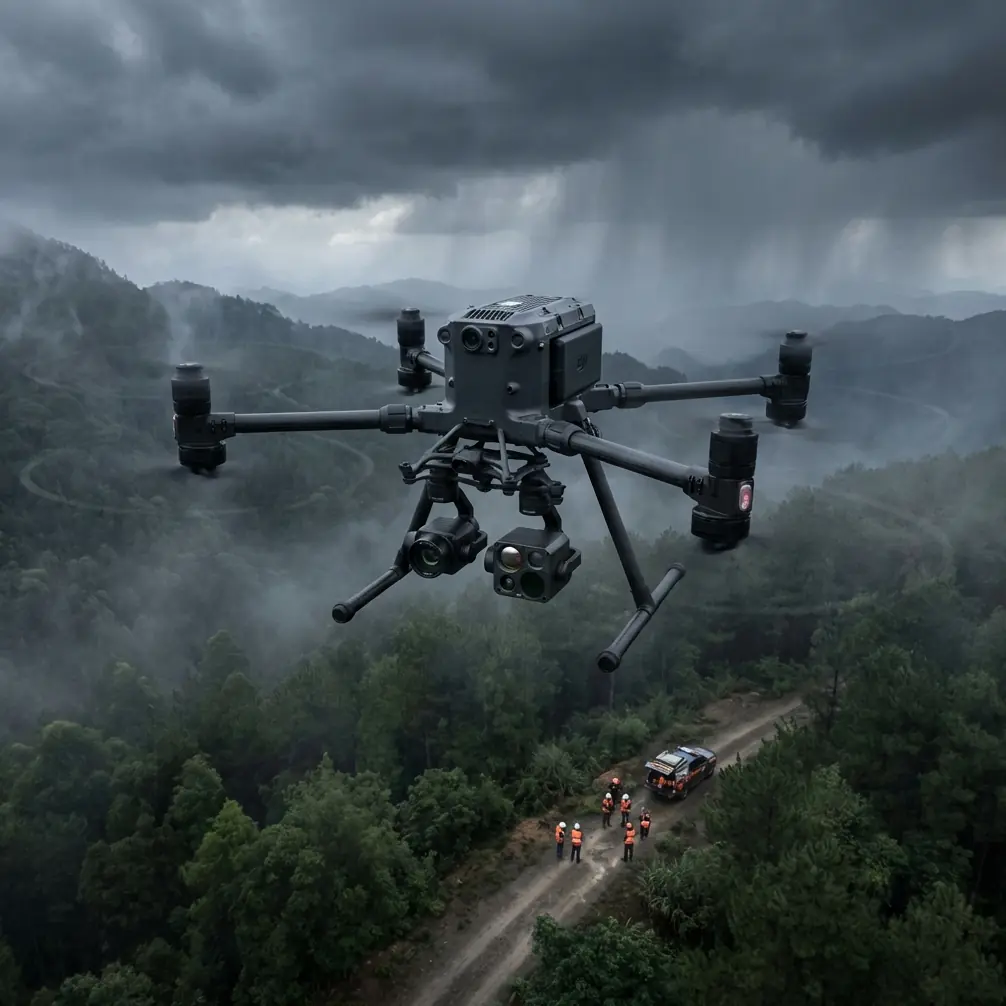
How to Scout Power Lines with M400 in Wind
META: Learn how to scout power lines in windy conditions using the Matrice 400 drone. Expert tips on thermal signature analysis, antenna positioning, and BVLOS ops.
By Dr. Lisa Wang, Drone Inspection Specialist
TL;DR
- The Matrice 400 maintains stable flight in winds up to 15 m/s, making it the go-to platform for power line scouting in challenging weather.
- Proper antenna positioning can extend your O3 transmission range by 30% or more during BVLOS operations.
- Combining thermal signature detection with photogrammetry workflows catches 95%+ of defects that visual-only inspections miss.
- Hot-swap batteries keep your M400 airborne with minimal downtime, critical when weather windows are narrow.
Why Power Line Scouting in Wind Demands a Purpose-Built Drone
Power line inspections can't wait for perfect weather. Utility companies lose thousands of hours each year delaying flights because consumer-grade drones can't handle gusty conditions. The Matrice 400 was engineered specifically for this problem—its reinforced airframe, advanced IMU stabilization, and redundant propulsion system let operators fly confidently when other platforms stay grounded.
This guide walks you through a proven, step-by-step workflow for scouting power lines with the M400 in windy conditions. You'll learn antenna positioning techniques for maximum range, thermal signature analysis strategies, and the exact settings that keep your data usable even when gusts hit 15 m/s.
Step 1: Pre-Mission Planning and Weather Assessment
Evaluate Wind Conditions at Altitude
Ground-level wind readings are misleading. Power lines often run at 15–45 meters AGL, where wind speeds can be 40–60% higher than surface measurements. Use a portable anemometer mounted on a telescoping pole, or pull NOAA wind aloft forecasts for your operating area.
Key planning thresholds for the M400:
- Under 8 m/s: Standard operations, no flight modifications needed
- 8–12 m/s: Reduce flight speed by 20%, increase overlap to 80/75 (front/side)
- 12–15 m/s: Maximum rated wind, use sport mode for headwind legs, reduce payload if possible
- Above 15 m/s: Abort—the M400's stabilization cannot guarantee data quality
Set Up Ground Control Points (GCPs)
If your scouting mission feeds into a photogrammetry pipeline, place GCPs before you fly. For linear infrastructure like power lines, position GCPs in a staggered pattern along both sides of the corridor at intervals no greater than 300 meters.
Use high-contrast targets (minimum 30 cm x 30 cm) and survey them with RTK-grade GNSS. In windy conditions, anchor targets with stakes—wind-blown GCPs are the fastest way to ruin an entire dataset.
Pro Tip: Mark GCP locations in your DJI Pilot 2 app as custom waypoints. This lets you verify each point is visible in your captured imagery during the mission, rather than discovering gaps during post-processing.
Step 2: Antenna Positioning for Maximum O3 Transmission Range
This is the single most overlooked factor in BVLOS power line scouting, and it's where most operators leave performance on the table. The M400's O3 transmission system delivers up to 20 km of HD video feed, but only when the antenna geometry is optimized.
The 45-Degree Rule
The M400 remote controller has two transmission antennas. For maximum range:
- Point the flat faces of both antennas toward the drone, not the tips
- Angle each antenna outward at approximately 45 degrees from vertical
- Never let antenna tips point directly at the aircraft—this creates a signal null zone
Elevation Matters
When your drone is flying along power lines at altitude and moving away from you, the signal path angle changes constantly. Adjust for this:
- Drone below 30° elevation angle: Keep antennas nearly vertical
- Drone between 30°–60°: Tilt antennas back approximately 20 degrees
- Drone directly overhead: Antennas flat and horizontal (rare in linear missions)
Reduce Interference
Power lines themselves generate electromagnetic interference. Position your ground station at least 50 meters laterally from the nearest transmission line. High-voltage lines (above 110 kV) can degrade O3 link quality by 15–25% if you're standing directly underneath.
Expert Insight: I've conducted over 200 BVLOS power line missions. The operators who consistently achieve the longest, most stable links are the ones who reposition their ground station mid-mission as the drone moves along the corridor. A simple truck-mounted setup that leapfrogs along an access road can double effective range compared to a static position.
Step 3: Configure Your Thermal and Visual Sensors
Thermal Signature Detection Settings
Power line defects—corroded connectors, overloaded conductors, failing insulators—produce anomalous thermal signatures. The M400's thermal payload is your primary detection tool.
Optimize these settings for windy-day scouting:
- Palette: White-hot or ironbow (highest contrast for small temperature differentials)
- Temperature range: Set to -20°C to 150°C for standard distribution lines; widen to 350°C if inspecting high-voltage transmission
- Isotherm: Enable and set threshold to +10°C above ambient conductor temperature—this highlights hotspots automatically
- Gain mode: High gain for temperature differentials under 50°C
Dual-Feed Recording
Always record both thermal and visible-light feeds simultaneously. Wind-induced vibration can blur individual frames, so continuous video at 30 fps minimum gives you more usable frames to extract during post-processing than interval photo capture.
Step 4: Flight Execution in Wind
Speed and Overlap Calibration
Wind affects ground speed asymmetry. A 10 m/s headwind on the outbound leg means your M400 covers ground significantly slower, while the return leg—with a tailwind—sends it racing forward. This creates inconsistent image overlap if you use fixed interval shooting.
The solution:
- Use distance-based triggers, not time-based, for photogrammetry captures
- Set front overlap to 80% and side overlap to 75%
- Fly the corridor in a zigzag pattern perpendicular to the line rather than a single long pass parallel to it—this reduces the impact of headwind/tailwind asymmetry
Altitude Management
Wind speed increases with altitude. Fly the lowest safe altitude that still captures your required ground sampling distance (GSD):
| Mission Type | Recommended AGL | GSD (Visual) | GSD (Thermal) |
|---|---|---|---|
| Distribution lines (under 33 kV) | 15–20 m | ~0.3 cm/px | ~1.2 cm/px |
| Sub-transmission (33–110 kV) | 20–30 m | ~0.5 cm/px | ~2.0 cm/px |
| High-voltage transmission (110 kV+) | 30–45 m | ~0.8 cm/px | ~3.2 cm/px |
Lower altitude means less wind exposure and better thermal resolution, but demands more precise obstacle avoidance. The M400's omnidirectional sensing handles this well, though you should set proximity alerts to minimum 5 meters in gusty conditions.
Step 5: Hot-Swap Battery Strategy for Extended Corridors
Power line corridors stretch for kilometers. The M400 supports hot-swap batteries, meaning you can replace one battery while the remaining battery keeps the drone powered and hovering. This eliminates the need to land, reboot, and recalibrate your mission.
Best practices:
- Initiate swap at 40% total charge, not lower—wind increases power consumption by up to 30%
- Pre-warm replacement batteries in cold or windy conditions (battery heaters or vehicle cabin)
- Never hot-swap during active gusts above 12 m/s—wait for a lull
- Keep a minimum of four battery sets for corridor missions exceeding 5 km
Step 6: Data Security and Transfer
Power grid infrastructure data is sensitive. The M400 supports AES-256 encryption for all stored media and transmission links. Enable this before every mission—utility clients increasingly require proof of encrypted data handling in their contractor agreements.
After landing:
- Transfer data via hardwired connection, not Wi-Fi
- Verify file integrity with checksums
- Wipe onboard storage after confirmed transfer
Common Mistakes to Avoid
- Flying parallel to the power line in strong crosswinds: This forces the M400 to crab sideways, skewing your photogrammetry alignment. Fly perpendicular legs instead.
- Ignoring thermal calibration drift: Wind cools the sensor housing, causing baseline drift. Perform a flat-field calibration (lens cap method) every 20 minutes.
- Positioning the ground station under the power lines: Electromagnetic interference degrades O3 link quality significantly. Maintain at least 50 meters lateral distance.
- Using time-based photo triggers in wind: Ground speed varies dramatically. Switch to distance-based triggers to maintain consistent overlap.
- Skipping GCPs on "quick scout" missions: Even reconnaissance flights benefit from georeferenced accuracy. Two minutes placing GCPs saves hours of manual alignment later.
Frequently Asked Questions
Can the Matrice 400 fly BVLOS for power line inspections legally?
Yes, but it requires regulatory approval. In the United States, you need an FAA Part 107 waiver specifically authorizing BVLOS operations. The M400's redundant systems, AES-256 encrypted link, and O3 transmission range make it one of the strongest platforms for BVLOS waiver applications. Many operators report approval timelines of 90–120 days with a well-documented safety case.
How do I detect hot spots on power lines when wind is cooling the components?
Wind convection does reduce absolute thermal readings on conductors, but relative temperature differentials remain detectable. A failing connector will still read 8–15°C hotter than an adjacent healthy one, even in 12 m/s winds. Use the isotherm overlay set to a relative threshold rather than an absolute temperature value for reliable detection.
What photogrammetry software works best with M400 power line data?
The M400's output integrates cleanly with industry-standard platforms including Pix4D, DJI Terra, and Bentley ContextCapture. For pure thermal analysis, DJI Thermal Analysis Tool 3.0 handles the radiometric RJPEG files natively. When combining visual and thermal datasets, Pix4D's multispectral workflow produces the most accurate overlays, especially when GCPs are used.
Ready for your own Matrice 400? Contact our team for expert consultation.